

The PDF scanner that keeps
your documents private.
DocScanner turns your iPhone into a fast, serious document scanner. Scan any paper to a crisp, searchable PDF, sign it, protect it with a password and share it anywhere. No ads, no account, no tracking, ever.
Everything a document scanner app should do
One app for the entire life of a document: capture it, clean it up, find it again months later, sign it, protect it and send it on its way.
Scan documents to PDF
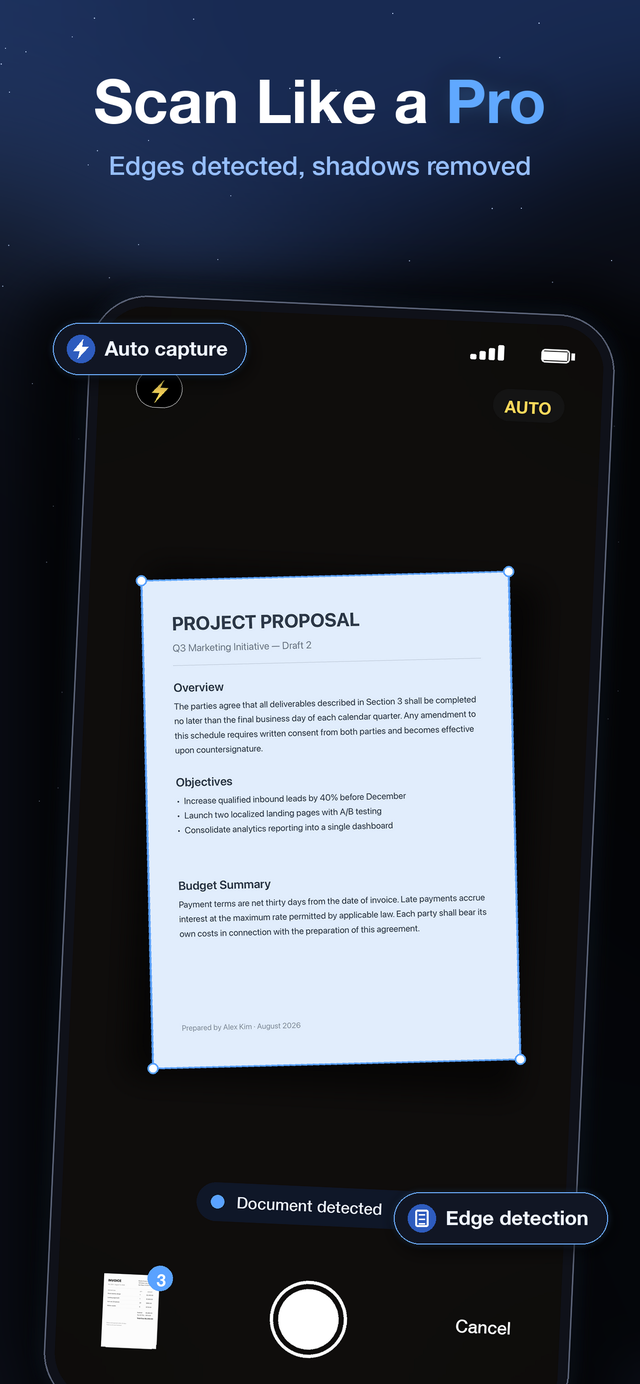
Point your camera and the page is found, captured and straightened automatically. Edge detection, perspective correction and shadow removal turn a photo taken at an angle on a messy desk into a page that looks like it came out of an office scanner. Five filters, from crisp black and white to faithful color, finish the job.
How to scan to PDF on iPhoneOCR with full text search
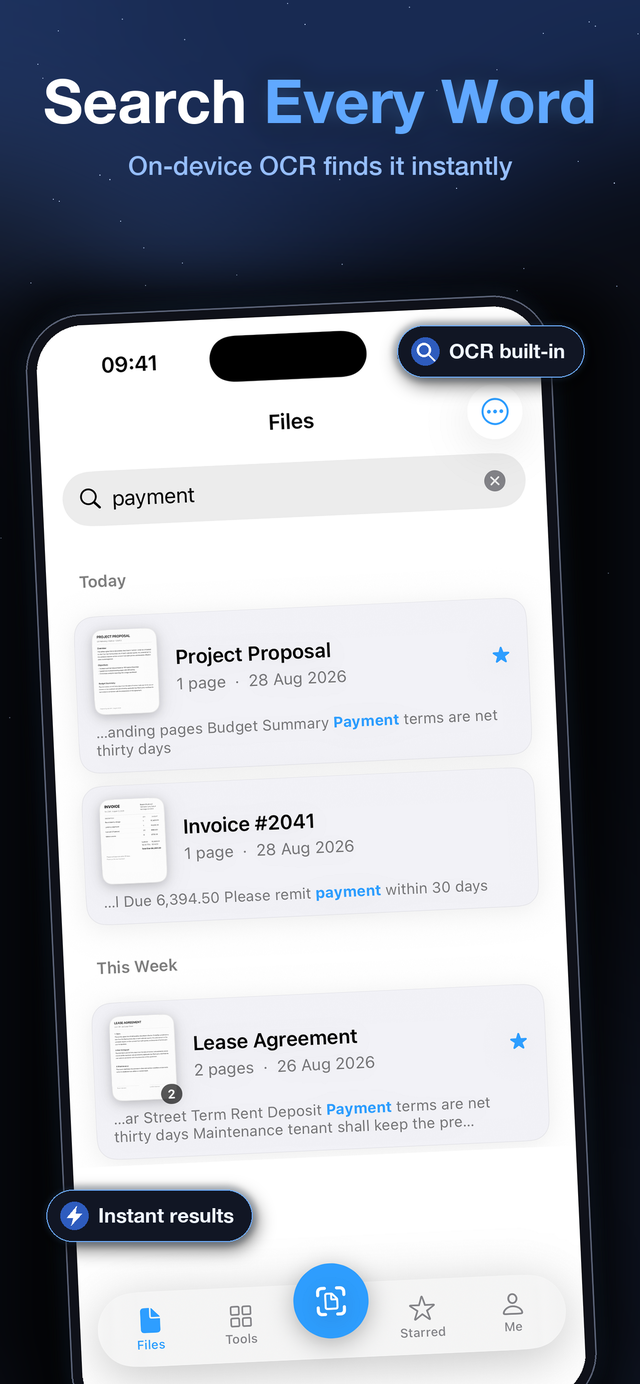
On-device text recognition reads every page as you scan it. A month later, type two words from a contract and DocScanner finds the document and the exact page, with matches highlighted. Pro exports PDFs with an invisible text layer so they stay searchable everywhere.
About OCR and searchable PDFsJPG to PDF converter
Photos of documents, whiteboards and screenshots become proper PDFs. Import JPG, PNG or HEIC images from your library, crop and clean them like any scan, and export a single tidy PDF, without uploading anything to a converter website.
Convert JPG to PDFSign documents anywhere
Draw your signature once with your finger, place it on the page, pinch to fit and export. Contracts, school forms and lease agreements go back the same hour they arrived, without a printer being involved at any point.
How to sign a PDF on iPhonePassword protect and encrypt
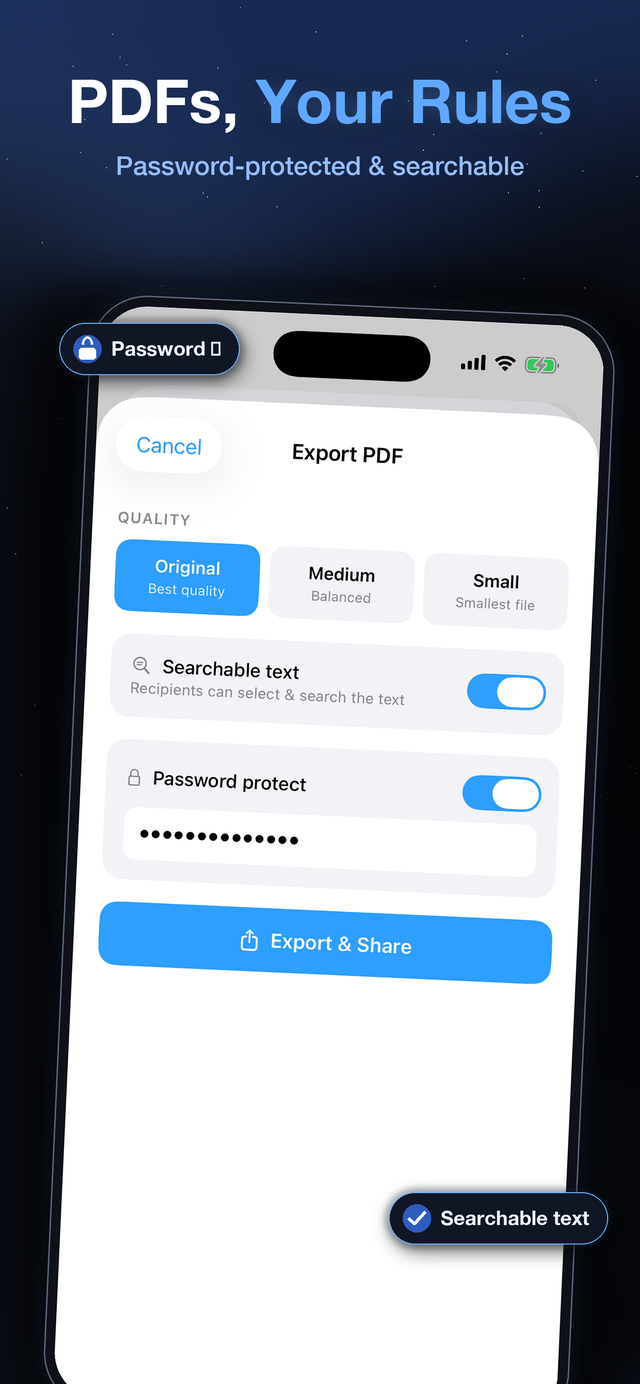
Export PDFs locked with a password that any PDF viewer will enforce. On the device itself, sensitive scans live in locked folders encrypted with AES-256-GCM and open with Face ID. If your phone is lost, those documents are unreadable.
Protect a PDF with a passwordReceipts, IDs and more
Long thermal receipts are captured without being chopped or squashed, and the ID card composer places both sides of a card neatly on one A4 page. Folders, tags and stars keep hundreds of documents organized without effort.
Scan and organize receiptsPaper to PDF in three steps
The whole flow is built around one idea: you should never have to think about the scanner, only about the document.
Point your camera
Open DocScanner and hold your iPhone over the page. Edges are detected and the page is captured automatically, no shutter timing, no guesswork. Keep going for multi-page documents.
Perfect the page
Auto filter usually nails it; switch to color, grayscale or black and white when it suits the paper better. Rotate, crop, reorder or add pages until the document reads exactly right.
Export and share
Save as PDF or JPG, pick a quality level, optionally add a password or a searchable text layer, and share to Mail, Files, WhatsApp, Slack or anywhere else iOS can send a file.
Why an on-device scanner matters
Think about what actually passes through a scanner app: contracts, salary slips, medical records, IDs, tax documents. With most scanner apps, every one of those pages is uploaded to someone's cloud for processing, storage or "sync", and you are trusting a company you have never met with the most sensitive paper in your life.
DocScanner takes the opposite approach. There is no server side at all. Scanning, OCR, search, encryption and export all run on your iPhone's own chip. The app works identically in airplane mode, because the internet was never part of the pipeline.
This is not a settings toggle or a premium promise. It is the architecture: there is simply nowhere for your documents to go.
- No servers. We physically cannot see, lose or leak your documents.
- No account. Nothing to sign up for, nothing to breach.
- No tracking. No ad identifiers, no cross-app tracking, no data brokers.
- On-device OCR. Text recognition by Apple's engine, on your hardware.
- AES-256 locked folders. Key derived from your password, never stored, never transmitted.
- Face ID unlock. Convenience protected by the Secure Enclave.
Who DocScanner is for
If paper still finds its way into your life, a scanner in your pocket pays for itself the first week.
Students
Scan lecture handouts, whiteboards and library pages into searchable PDFs. Find that one formula sheet during finals by typing three words from it instead of scrolling a camera roll.
Freelancers and small business
Sign and return contracts in minutes, keep every invoice and receipt as a searchable record, and send password protected PDFs when the content is nobody else's business.
Households
Warranties, manuals, school forms, insurance letters, medical results: scan them the day they arrive and throw the paper away. Everything stays findable, organized and private.
Travelers
Keep passports, bookings and tickets as clean scans in an encrypted folder. Everything works offline, which is exactly when you need your documents most.
DocScanner vs. typical scanner apps
Most free scanner apps pay for themselves with your attention and your data. DocScanner does neither.
| DocScanner | Typical free scanner apps | |
|---|---|---|
| Ads | None, ever | Banner and full-screen ads |
| Account required | No | Often required to export |
| Where documents are processed | On your iPhone only | Uploaded to cloud servers |
| Works offline | Fully | Often limited or broken |
| OCR text search | On-device, private | Cloud OCR reads your pages |
| Encrypted folders | AES-256 + Face ID | Rare, or cloud-based |
| Tracking and ad identifiers | None | Common in ad-funded apps |
Considering a switch? Read our honest CamScanner alternative comparison.
Free is a real scanner. Pro is a power tool.
Free gives you unlimited scans, filters, OCR search, signing, folders, tags and standard PDF export, forever. Pro adds password protected PDFs, searchable text export, combined PDFs, the ID card composer, unlimited locked folders, file locking and watermark-free exports. Monthly, yearly or one-time lifetime, your choice.
PDF scanner questions, answered
Is DocScanner really a free PDF scanner?
Yes. Scanning documents to PDF is free and unlimited, with no ads and no account. DocScanner Pro is an optional upgrade that adds extras like password protected PDFs, searchable text export, combined PDFs and unlimited locked folders. The free tier is a complete scanner, not a demo.
How do I scan a document to PDF on iPhone?
Open DocScanner, tap the scan button and hold your iPhone over the page. Edges are detected automatically, the page is captured, and you can export it as a PDF and share it in a couple of taps. Multi-page documents work the same way: keep capturing and every page lands in the same file.
Does DocScanner upload my documents to a server?
No. Scanning, OCR, search and encryption all run on your iPhone. DocScanner operates no servers and never sees your documents. Nothing leaves your device unless you share or export it yourself.
Can DocScanner make searchable PDFs with OCR?
Yes. On-device OCR reads the text in your scans so you can search every word inside your documents. Pro can also embed an invisible text layer into exported PDFs so they are searchable and selectable in Preview, Adobe Reader and any other viewer.
Can I sign a PDF or a paper document with DocScanner?
Yes. Draw your signature with your finger, place it anywhere on the page, resize it, and export the signed document as a PDF. You can sign scans you captured or PDFs someone sent you. No printing or scanning back required.
Is DocScanner a good CamScanner alternative?
DocScanner covers the same core features, scanning, OCR, signing and PDF export, but with no ads, no account requirement and a strict on-device privacy model. See our full CamScanner alternative comparison for details.
What languages does DocScanner support?
The app is fully localized in 13 languages, including English, Korean, Japanese, Chinese, German, French, Spanish and Arabic, and the on-device OCR recognizes text in dozens of languages.
Does DocScanner work offline?
Completely. Because everything runs on-device, scanning, OCR, search, signing and export all work in airplane mode. There is nothing to sync and no server to reach.
How is my data protected if I lose my phone?
Documents you place in locked folders are encrypted on-device with AES-256-GCM using a key derived from your password. Without the password (or your Face ID), the contents are unreadable, and the key never leaves your device.
What does DocScanner Pro cost?
Pro is available as a small monthly or yearly subscription, or a one-time lifetime purchase, whichever suits you. Prices are shown in your local currency in the app, and everything you scanned as a free user stays yours either way.
Scan your first document in seconds
DocScanner is free on the App Store. No ads, no account, no tracking.
Download DocScanner Free